
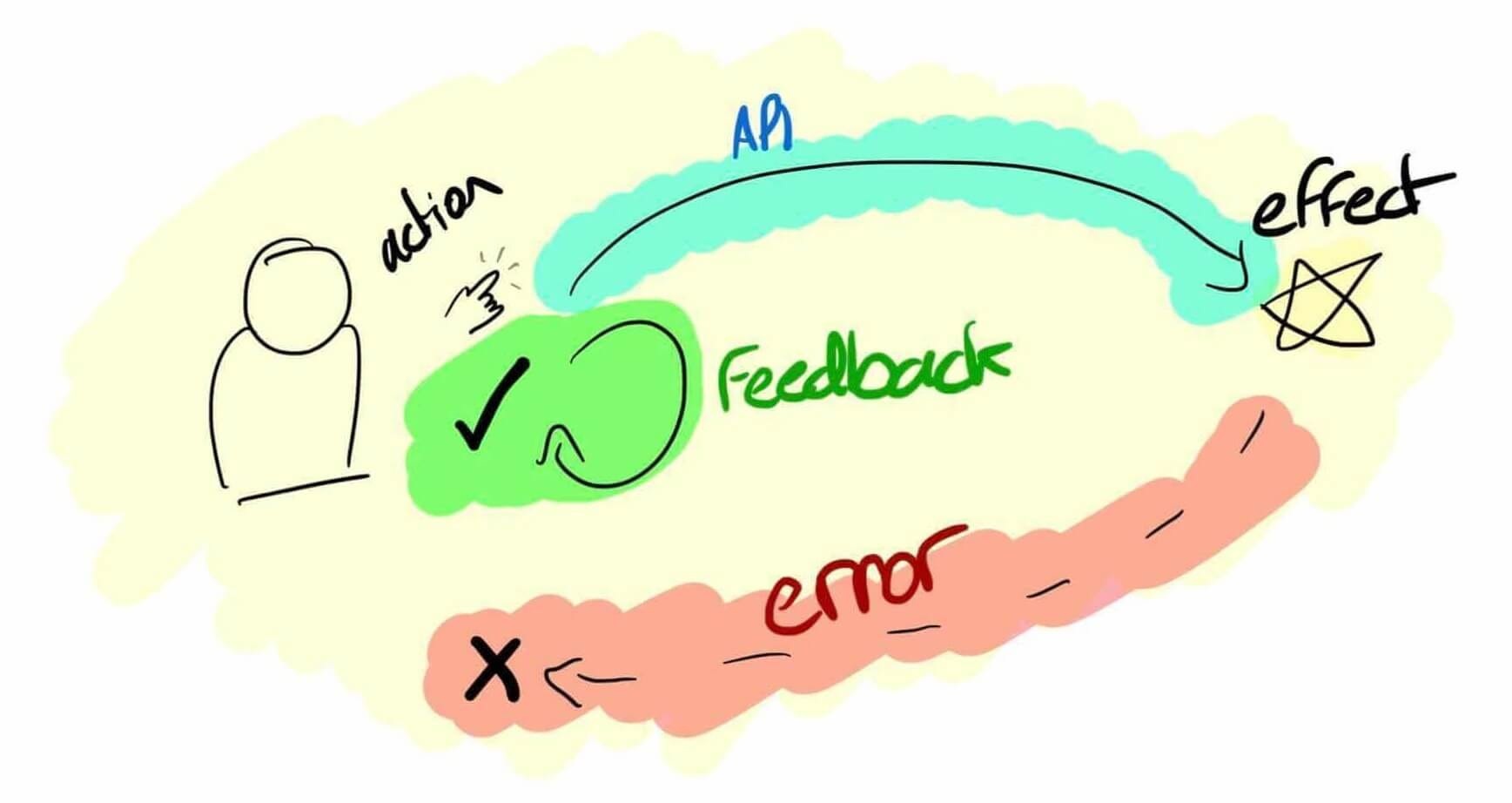
In the fast-paced digital world, no one likes waiting — not users, not developers, and certainly not businesses. Imagine walking into a café, ordering your favourite drink, and the barista immediately hands you the cup even before confirming your payment. It’s fast, confident, and seamless. This is what an Optimistic UI does in web development — it assumes the action will succeed and displays the result instantly, creating a near-magical sense of speed and responsiveness.
But behind this smooth illusion lies a complex balance of trust, technical design, and user psychology.
The Psychology Behind Instant Feedback
Humans are wired to seek instant gratification. Every extra second spent waiting for a webpage to respond increases frustration and reduces engagement. In modern applications, users expect the interface to act instantly, even if the backend is still processing their request.
An Optimistic UI takes advantage of this expectation. Instead of waiting for server confirmation, it updates the interface immediately after the user performs an action — say, clicking a “Like” button or adding an item to a shopping cart. Later, when the server responds, the UI either confirms the update or reverts the change if something went wrong.
This technique feels almost invisible when done right, but it can transform an average product into one that feels effortlessly fast. For learners exploring full stack java developer training, understanding such UI strategies can make the difference between building merely functional interfaces and crafting user experiences that delight.
How Optimistic UIs Work Behind the Scenes
At its core, an Optimistic UI operates on a simple principle: assume success until proven otherwise. The frontend predicts what the server response will be and reflects that in the interface immediately. Once the actual response arrives, it reconciles any differences.
For example:
- When a user sends a message in a chat app, the message appears instantly in the chat window.
- If the server confirms it, the message remains.
- If it fails, the message may show an error indicator or disappear.
This prediction mechanism depends heavily on asynchronous event handling, state management libraries, and error-handling logic. In frameworks like React or Angular, developers often use state containers (like Redux or NgRx) to manage optimistic updates and ensure consistency when the final server response arrives.
Designing for Success and Recovery
Optimistic UIs are powerful — but they’re also risky. When things go wrong, users can quickly lose trust in the interface. Designing for recovery is just as important as designing for speed.
Here’s how developers ensure balance:
- Show confidence, not arrogance — Display the action instantly but also include subtle indicators (like progress spinners or temporary icons) to show the system is still verifying.
- Reconcile errors gracefully — If a server request fails, revert the change smoothly and explain why it happened.
- Maintain consistency across sessions — If the app crashes or reloads mid-request, ensure that the optimistic changes don’t persist incorrectly.
The best developers learn that Optimistic UI isn’t just a coding trick — it’s a user experience philosophy that blends frontend design, backend logic, and empathy for user expectations.
Real-World Use Cases: Speed Meets Reliability
You’ve already experienced Optimistic UIs, even if you didn’t realise it. When you “like” a post on Instagram, mark an email as read, or send a message on WhatsApp, those actions appear instantaneous. Behind the scenes, each of those platforms is betting — optimistically — that your request will succeed.
For example:
- E-commerce sites use Optimistic UIs for cart updates, creating a fast and frictionless buying experience.
- Social media platforms use them for instant engagement updates to keep the dopamine cycle flowing.
- Collaborative tools like Google Docs rely on them to maintain real-time consistency even with multiple users editing simultaneously.
For professionals, replicating real-world patterns is an essential skill. It teaches not only how to code fast interfaces but also how to make users feel in control, even when the network isn’t reliable.
The Subtle Art of Balancing Speed and Trust
The beauty of Optimistic UI design lies in its illusion — it tricks users into feeling everything happens instantly, while the real work continues quietly in the background. But like all illusions, it must be used responsibly. Too many failed predictions, and users start doubting the system’s reliability.
Developers must therefore master both optimism and caution. A truly effective Optimistic UI combines lightning-fast responsiveness with transparent feedback when things don’t go as planned.
Conclusion
Optimistic UIs represent the evolution of digital interaction — from systems that simply respond to ones that anticipate. They embody confidence, agility, and seamless design thinking. For users, it’s magic. For developers, it’s mastery of state management, asynchronous logic, and empathetic UX.
Those who understand this technique stand at the frontier of modern web development. With structured learning and practice — such as through full stack java developer training — one can move beyond static applications and build experiences that feel alive, fluid, and delightfully human.